
1.8 KiB
1.8 KiB
Habitica Sync in Obsidian
This plugin for Obsidian incorporates a view to display and interact with the task management app Habitica.
Please open issues for any bugs/functionality requests :)
Usage
The plugin's view is enabled by clicking on the "Open Habitica Pane" option in the side ribbon (default hotkey is Ctrl+Shift+H).
To sync your Habitica account, go to the settings page of the plugin and enter your user ID and API token credentials.
Features
Pane View
View HP, XP, todos, dailies, and habits
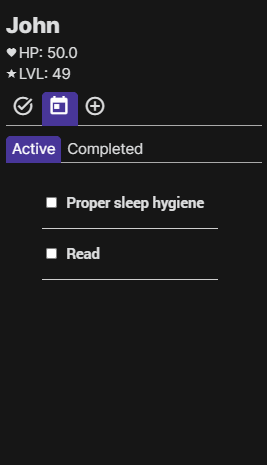
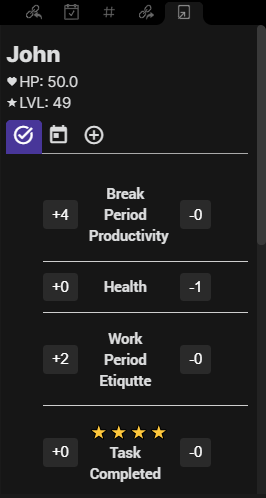
- Tab for active/completed tasks
Check off tasks/dailies in the view, modify habit counters (+/-)
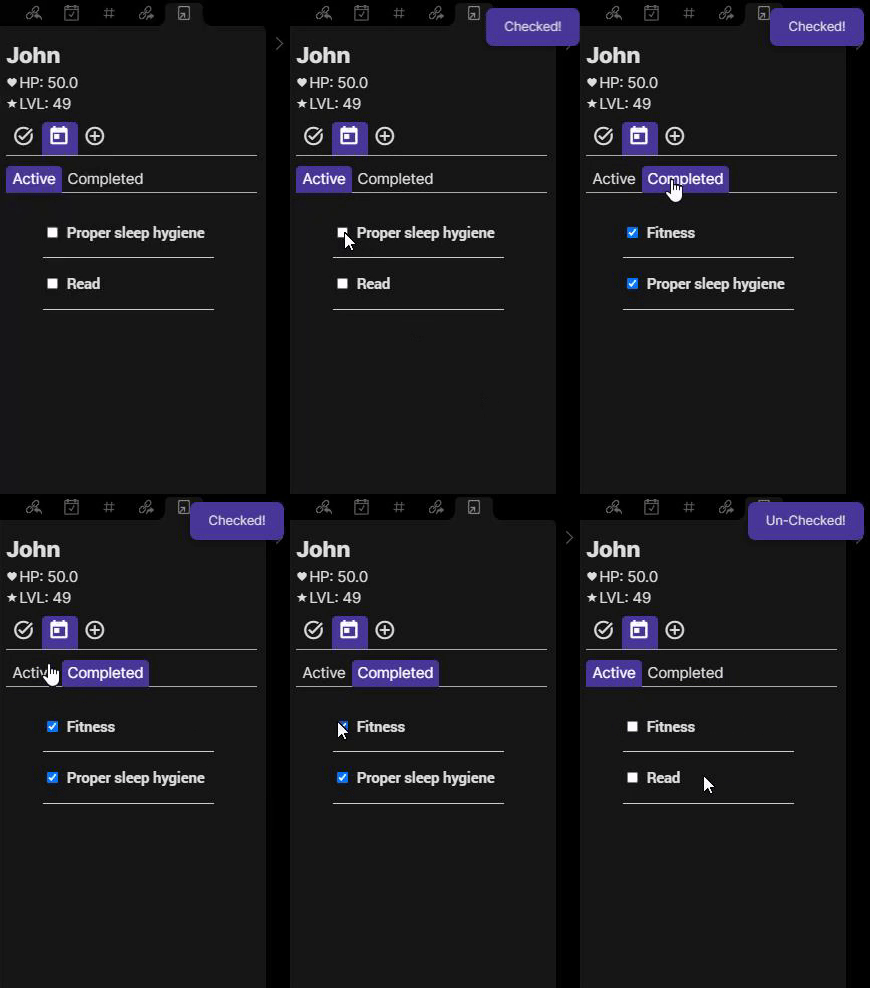
- Can uncheck completed habits/todos as shown above
Settings
- Habitica User ID: You can find this by clicking on the "User" icon in the top right of the Habitica webapp, "Settings", then "API"
- Habitica Token API: You can find this by clicking on the "User" icon in the top right of the Habitica webapp, "Settings", then "API"
The following two inputs help fetch your user data to be displayed in the Obsidian view.
Roadmap
We will be implementing additional features including:
- Add/delete/customize tasks and habits
- View/claim rewards
Feel free to support us and donate!
