No description
|
|
||
|---|---|---|
| src | ||
| .gitignore | ||
| .hotreload | ||
| LICENSE | ||
| manifest.json | ||
| package.json | ||
| README.md | ||
| rollup.config.js | ||
| styles.css | ||
| tsconfig.json | ||
| versions.json | ||

Habitica Sync in Obsidian
This plugin for Obsidian incorporates a view to display and interact with the task management app Habitica.
Please open issues for any bugs/functionality requests :)
Usage
The plugin's view is enabled by clicking on the "Open Habitica Pane" option in the side ribbon (default hotkey is Ctrl+Shift+H).
To sync your Habitica account, go to the settings page of the plugin and enter your user ID and API token credentials.
Features
Pane View
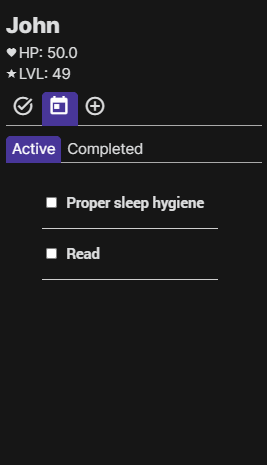
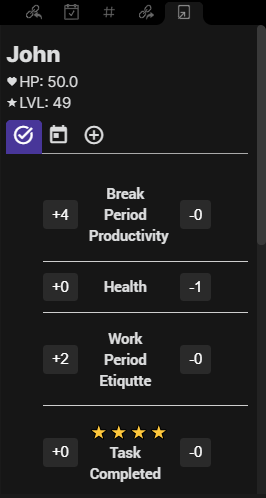
- View stats (HP, XP, coins)
- View to do's, dailies, and habits
- Tab for active/completed tasks and dailies
Check off tasks/dailies in the view, modify habit counters (+/-)
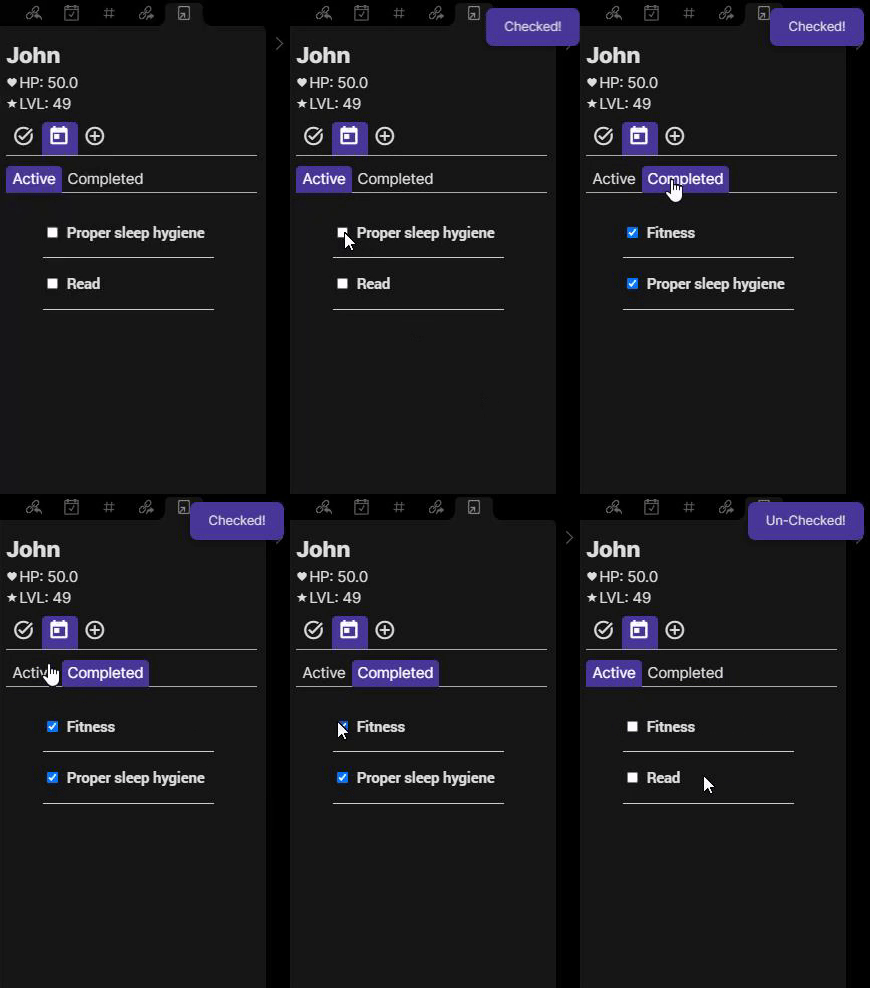
- Can uncheck completed habits/todos as shown above
Settings
The following two inputs help fetch your user data to be displayed in the Obsidian view:
- Habitica User ID: You can find this by clicking on the "User" icon in the top right of the Habitica webapp, "Settings", then "API"
- Habitica Token API: You can find this by clicking on the "User" icon in the top right of the Habitica webapp, "Settings", then "API"
- Show Task Descriptions: Toggles whether description/notes for tasks will be shown or not
- Due date format: Format in which the due date is displayed
- Show Checklist items: Toggles the checklist items for a task.
Roadmap
We will be implementing additional features including:
- Add/delete/customize tasks and habits
Feel free to support us and donate!
